

Google has officially revealed the next major version of its mobile operating system: Android 17. Unveiled during the dedicated Android Show event ahead of the I/O developer conference, the update is a mix of artificial intelligence enhancements and practical quality-of-life improvements. From a complete emoji rework to tools that help you avoid distractions, Android 17 aims to refine the user experience while pushing deeper into AI integration. Here's a detailed breakdown of the nine biggest features coming to your phone.
All-new emoji
Google has completely redesigned its emoji set for the first time in years. All 4,000 emoji now feature a more three-dimensional look, adding depth and detail that make them feel more like small sculptures than flat cartoons. The new style is intended to make expressions and objects more lifelike without losing the charm that makes emoji instantly recognizable. The redesign also ensures consistency across Google's ecosystem, aligning the look with the version used in Google Chat and other first-party apps. Pixel phones will get the new emoji first later this year, with a gradual rollout to other Android devices.
Pause Point
Digital well-being gets a significant upgrade with Pause Point, a feature designed to interrupt mindless app usage. Users can label certain apps as "distracting," and whenever they try to open one, a 10-second timer appears with prompts to do breathing exercises or switch to a more productive app. The idea is to create just enough friction to help users reconsider their actions. Additionally, Pause Point allows setting session timers, and disabling the feature requires a full phone restart—a deliberate barrier to prevent easy dismissal. This underscores Google's commitment to helping users build healthier relationships with their devices, building on existing Digital Wellbeing tools.
Screen Reactions
Content creators will appreciate Screen Reactions, which simplifies making reaction videos. The tool lets users record both the selfie camera and screen simultaneously in just a few taps, automatically overlaying the user's face as a cutout in front of the screen content. This eliminates the need for third-party editing apps and complex setups. Screen Reactions can capture anything on screen—photos, videos, webpages, and apps—and will launch on Pixel phones this summer. It's a direct response to the growing popularity of reaction content on platforms like YouTube and TikTok.
Even more AirDrop
Google expands Quick Share's interoperability with Apple's AirDrop beyond initial limited support. After enabling cross-platform file sharing on select Pixel and Galaxy phones last year, Android 17 extends compatibility to devices from Xiaomi, Honor, OnePlus, Oppo, and Vivo. For phones without native support, Quick Share can now generate a QR code that iPhone users scan to receive files directly to their iCloud storage. Later this year, Google will integrate Quick Share and AirDrop support directly into apps like WhatsApp, making file transfers seamless regardless of platform.
Easier switching from iPhone
Switching from iOS to Android becomes smoother thanks to a joint effort with Apple. iOS 26.3 added support for wireless transfer of files, contacts, messages, homescreen layouts, and eSIMs to Android devices. However, the feature required a compatible Android 17 phone to receive the data. With Android 17, Google finally enables this transfer, starting with Pixel and Galaxy phones. This is part of a broader industry push to reduce friction between ecosystems, making it easier for users to choose the platform that best suits their needs without losing their data.
Rambler
Part of Google's "Gemini Intelligence" suite, Rambler is an advanced dictation tool that goes beyond simple speech-to-text. It removes filler words like "um" and "ah," condenses rambling sentences into concise messages, and corrects grammatical errors in real time. During a press briefing, Google demonstrated scribing a shopping list where the user changed their mind mid-sentence, and Rambler intelligently excluded the item from the final list. It also supports multilingual dictation, seamlessly switching between languages within the same message. Rambler will roll out to latest Samsung Galaxy and Google Pixel phones this summer.
Create My Widget
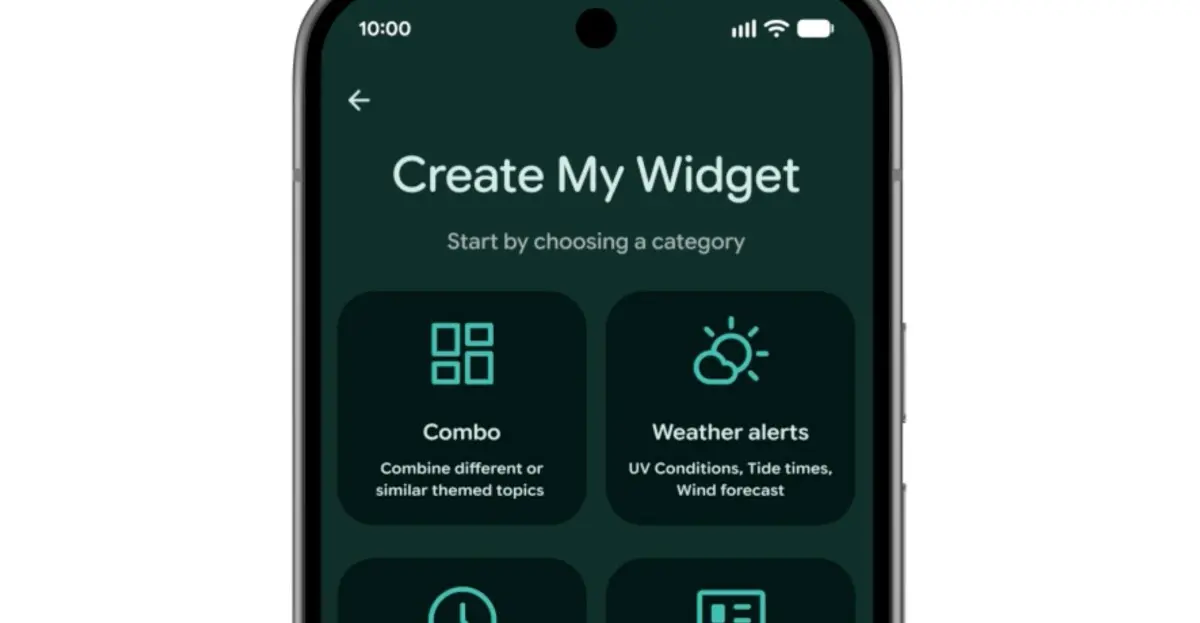
Inspired by Nothing's Essential App widgets, Google introduces Create My Widget, another Gemini Intelligence feature. Users can generate custom homescreen widgets simply by describing what they want in natural language. Examples include a meal planner emphasizing high-protein recipes, a weather widget for cyclists prioritizing wind speed and rain, or a concert feed for local venues. The AI handles the design and data sourcing, making every home screen truly personalized. This feature is available on select flagship Galaxy and Pixel devices from summer 2026.
Gemini automation
Beyond widgets, Android 17 brings broader AI automation. Task Automation, previously limited to food delivery and rideshare apps on high-end devices, expands to support more categories. Gemini can order groceries from a shopping list in your notes app or plan a travel itinerary from a photograph. Chrome gains auto browse and other AI upgrades in late June, while Gemini appears in Autofill to speed up form completion. These features aim to reduce manual steps and let users accomplish tasks with simple voice or text commands.
More security features
Security receives multiple enhancements in Android 17. A new collaboration with banks helps block calls that spoof their numbers, though it requires the bank's app to be installed. Improved malware detection scans app behavior for suspicious activities like unauthorized SMS forwarding or background launches. Chrome's safe browsing mode extends to scan APK downloads for known malware. For theft protection, users can remotely enable biometric protection via Find Hub after marking a phone as lost, and Google reduces the number of allowed PIN/pattern attempts while increasing wait times between failures. These measures create multiple layers of defense against evolving threats.
Android 17 is shaping up to be a substantial update that balances innovative AI tools with practical improvements. The new emoji and Pause Point address user experience and well-being, while features like Screen Reactions and Rambler cater to creators and multitaskers. Quick Share expansion and easier iPhone switching demonstrate Google's commitment to cross-platform compatibility. As always, Pixel phones will receive the update first, followed by Samsung Galaxy and other major manufacturers later in the year.
Source: The Verge News