
















Why Yealink MeetingBar A20 is Best for Video Meetings
Discover why the Yealink MeetingBar A20 is the best choice for modern video meetings. Learn about its features, performance, and advantages at Affordable Electronics store.

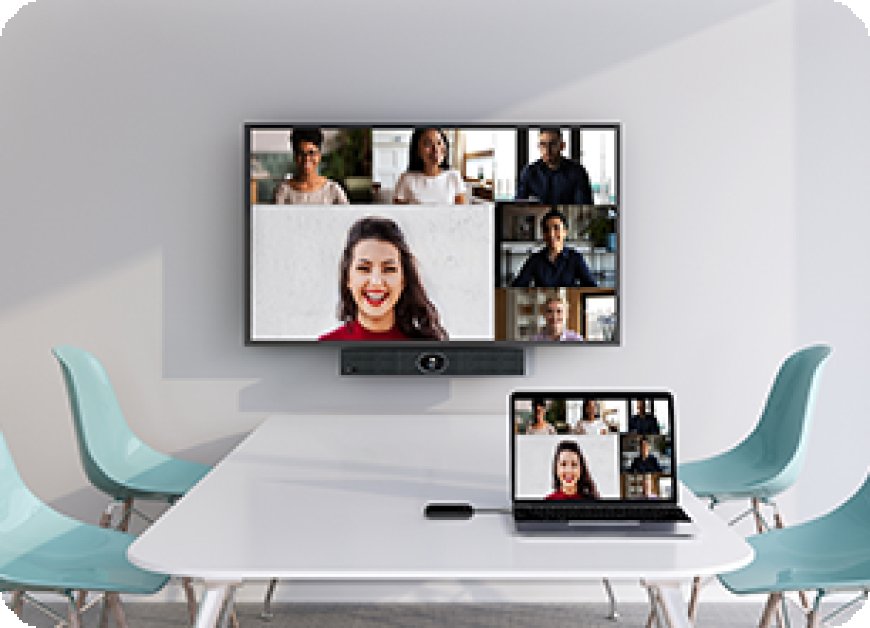
In the modern business world, effective communication is the key to success. Whether you're running a small business, managing remote teams, or leading virtual client meetings, the tools you use can make or break your productivity. One such tool that has revolutionized the world of video conferencing is the Yealink MeetingBar A20. Compact, intelligent, and powerful, this all-in-one video bar brings professional-grade meeting capabilities to even the smallest rooms.
At Affordable Electronics store, we understand the growing need for seamless, high-quality virtual meetings. Thats why we recommend the Yealink MeetingBar A20 as the go-to solution for businesses seeking reliable, easy-to-use conferencing equipment.
What is the Yealink MeetingBar A20?
The Yealink MeetingBar A20 is an all-in-one video conferencing system designed specifically for small to medium-sized rooms. It integrates a high-definition camera, microphone array, speakers, and powerful computing unit into a single device. This simplicity removes the need for a PC or other peripherals, offering a clean and professional meeting room setup.
Key Features of Yealink MeetingBar A20
Lets explore the standout features that make this system a leader in video meeting technology.
1. All-in-One Compact Design
The Yealink MeetingBar A20 comes with a minimalist design that houses the camera, microphones, speaker, and processor all in one bar. This reduces clutter and installation complexity, making it ideal for companies that want a clean and efficient setup.
2. AI-Enhanced Camera System
Equipped with a 20MP camera and AI-driven capabilities, the A20 ensures crystal-clear video with intelligent framing and speaker tracking. The camera automatically zooms in on the speaker and adjusts based on movement in the room.
3. Noise Cancellation and Echo Suppression
The bar includes 8 MEMS microphone arrays combined with advanced noise-proof technology. Background noise is suppressed, while voices remain crisp and clear, making communication smooth and distraction-free.
4. Native Compatibility with Zoom and Microsoft Teams
The Yealink MeetingBar A20 is certified for both Microsoft Teams and Zoom Rooms, enabling a native and seamless meeting experience without needing a separate PC or controller.
5. Smart Auto-Framing and Tracking
AI-powered auto-framing adjusts the camera to fit all participants in the frame, while speaker tracking ensures the active speaker remains the focal point. This provides a more engaging and professional meeting experience.
6. Touch Panel and Remote Control Support
While the device can be operated via the included remote, it also supports the Yealink CTP18 Touch Panel, allowing users to control meetings with ease.
Benefits of Using Yealink MeetingBar A20 in Video Meetings
Heres why the Yealink MeetingBar A20 is widely considered the best option for modern virtual collaboration.
Seamless User Experience
With native support for popular platforms, one-touch join options, and intuitive controls, the A20 is perfect for users who want to start meetings quickly without technical issues.
High-Quality Audio and Video
Thanks to its 20MP camera and beamforming microphones, every participant can be seen and heard clearly, even in challenging room environments.
Reduced IT Burden
The plug-and-play functionality means theres no need for IT intervention during setup. This saves time and money, especially for small businesses.
Scalable Across Locations
Whether youre setting up one room or twenty, the Yealink MeetingBar A20 scales easily and maintains performance consistency across all locations.
Use Cases for Yealink MeetingBar A20
The A20 is versatile and suits a variety of industries and meeting scenarios.
-
Corporate Teams: Perfect for daily standups, strategy sessions, or client presentations.
-
Healthcare Providers: Ideal for remote consultations, ensuring patients feel seen and heard.
-
Educational Institutions: Supports hybrid learning environments with clear visuals and sound.
-
Government Offices: Provides secure and reliable communication for remote or hybrid workforces.
Why Buy from Affordable Electronics store?
At Affordable Electronics store, we dont just sell technologywe provide complete conferencing solutions. Heres why were the preferred retailer for Yealink devices:
-
Competitive Pricing: We offer the best value for the Yealink MeetingBar A20 on the market.
-
Warranty and Support: Enjoy manufacturer warranty along with local customer support.
-
Bulk Purchase Discounts: For larger organizations, we offer volume pricing and special deals.
-
Expert Advice: Not sure what you need? Our team is here to guide you every step of the way.
Customer Reviews and Industry Feedback
Many businesses have already upgraded their video conferencing capabilities with the Yealink MeetingBar A20. Here are a few takeaways:
-
Ease of Use: We set up our A20 in under 10 minutes and have been using it daily since.
-
Audio Quality: It picks up voices clearly, even when someone speaks from the corner of the room.
-
Design: Compact and professional lookingexactly what we needed for our meeting room.
Final Thoughts
The Yealink MeetingBar A20 combines top-tier technology with user-friendly features that make it perfect for modern businesses of all sizes. Whether you're a startup setting up your first conference room or a growing business looking to standardize your communication tools, the A20 offers reliability, performance, and value.
At Affordable Electronics store, we're proud to offer the Yealink MeetingBar A20 along with expert support and unbeatable prices. Don't settle for lessupgrade your video meetings today.
FAQs About Yealink MeetingBar A20
1. What makes the Yealink MeetingBar A20 suitable for small meeting rooms?
Its all-in-one design, AI-enhanced camera, and microphone array make it ideal for small to medium-sized spaces without needing extra hardware.
2. Can I use Yealink MeetingBar A20 without a PC?
Yes. The A20 operates independently and is compatible with Microsoft Teams and Zoom out of the box.
3. Does Affordable Electronics store offer support after purchase?
Absolutely. We provide warranty assistance, setup support, and guidance to ensure a smooth user experience.
4. Is the Yealink MeetingBar A20 difficult to install?
No. Its a plug-and-play device that can be installed in minutes without technical expertise.
5. How is the video quality of the A20?
The 20MP camera offers ultra-clear resolution and smart framing to keep everyone visible during calls.
6. Does the A20 come with a touch controller?
It supports the Yealink CTP18 touch panel, but the touch controller is sold separately.