












This AI Tool Lets You Upload a Photo and Get the Right Answer in Seconds
Snap, upload, and get instant answers with AI! Discover how "Upload Image and Get Answer" tools simplify homework, learning, and problem-solving for all.

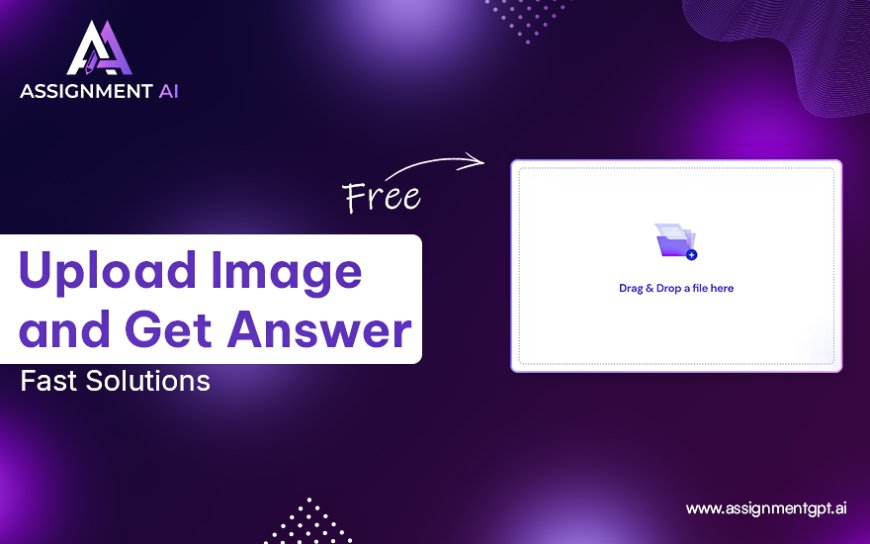
Imagine this: You're stuck on a tricky math problem or a confusing science question. Instead of typing it out or endlessly searching online, you simply snap a picture, upload it to an AI platform, and instantly receive the correct answer. Sounds futuristic? Its not - its the power of Upload Image and Get Answer AI tools.
These tools are becoming a game-changer for students, educators, and anyone who needs instant solutions to visual questions. Whether its a math equation, a paragraph of text, or a complex diagram, AI can now scan, analyze, and answer within seconds, making studying smarter and homework faster.
What is "Upload a Photo and Get the Right Answer"?
Upload image and get answer AI is a cutting-edge AI-powered technology designed to assist users by solving questions based on images. Instead of typing out a question manually, users can upload an image of a handwritten or printed question, and the AI processes the content using optical character recognition (OCR) and natural language processing (NLP) to understand the query and provide a solution.
This tool is particularly useful for:
-
Students who want homework help
-
Teachers creating answer keys
-
Professionals handling visual data
-
Non-native speakers who struggle with written queries
It simplifies the process of getting answers and speeds up learning in an incredibly accessible way.
Step-by-Step: How to Upload an Image and Get Answers
Heres how this powerful AI tool works in a few simple steps:
1. Upload an Image from Your System
Start by selecting the image file containing your question. This could be a screenshot, a scanned page, or even a photo taken from your mobile device. Supported formats usually include JPEG, PNG, and PDF.
2. Change the Question Settings (Optional)
Many tools allow you to customize settings such as subject (Math, Science, English), difficulty level, or preferred language. This ensures the answer you receive is tailored and contextually accurate.
3. Crop Your Image and Customize the Question
To avoid confusion and help the AI focus, you can crop the image to highlight only the relevant question. Some platforms also allow annotations or text highlights for better clarity.
4. Click on the Button Upload Your Assignment Image
Once ready, click the designated button to submit the image. Within seconds, the AI tool analyzes it and generates a response, sometimes with step-by-step explanations for better understanding.
How Does Image Answer AI Work?
The magic behind this tool lies in a combination of advanced technologies:
-
OCR (Optical Character Recognition): Extracts readable text from the uploaded image.
-
NLP (Natural Language Processing): Interprets the meaning of the text and understands what the question is asking.
-
AI-Powered Answer Generation: Uses machine learning models trained on massive datasets to provide accurate, human-like answers.
-
Contextual Understanding: Some tools even use visual AI to interpret graphs, charts, or equations accurately.
The result? Fast, reliable, and smart answers that mimic the help you'd get from a tutor.
Key Features
Here are the standout features that make these tools so useful:
1. User-Friendly Interface
Designed for everyone, from schoolchildren to college students. A clean layout, simple icons, and minimal steps make it extremely easy to use.
2. File Upload Capability
Supports various file formats including JPG, PNG, and PDF. You can also use mobile screenshots or scanned textbook pages.
3. AI-Driven Answer Generation
Once your question is detected, the tool uses AI models trained on educational content to deliver the correct answer. Many even offer step-by-step solutions and explanations to improve understanding.
Benefits of "Upload Image and Get Answer"
-
Time-Saving: No need to type or search manually. Just snap and go.
-
Accuracy: High precision in recognizing even handwritten text.
-
Multisubject Support: Works across various subjects like Math, Science, English, History, etc.
-
Accessibility: Ideal for learners with language or typing difficulties.
-
Improves Learning: Many tools provide detailed breakdowns, making them educational rather than just answer providers.
Applications of "Upload Image and Get Answer"
1. Students
Whether you're in high school or college, this tool is a reliable homework helper. It assists with assignments, test prep, and understanding complex topics.
2. Educators
Teachers can use it to check questions or develop answer keys quickly and accurately.
3. Parents
Parents helping their children with homework often struggle with modern curriculums. This tool helps them provide support without needing subject matter expertise.
4. Self-Learners
People learning independently can use this tool to get instant clarification and avoid getting stuck.
5. Special Education
Its a powerful aid for students with learning disabilities or reading difficulties, providing visual, fast, and simple solutions.
Conclusion
The rise of Image to answer AI AI tools is redefining how we approach learning, problem-solving, and homework assistance. By combining speed, accuracy, and accessibility, these platforms make academic support available to everyone, anytime, anywhere.
Whether you're a student, a teacher, or a lifelong learner, this tool can simplify your workload, improve understanding, and save precious time.
So the next time you're stuck on a question, dont stress - just upload your image and let AI do the rest.
FAQs
1: Is the tool free to use?
Many platforms offer free basic access with limited uploads per day. Premium versions offer unlimited access and extra features.
2: Does it work with handwritten questions?
Yes, if your handwriting is clear. Advanced OCR tech can read most handwriting styles accurately.
3: What subjects does it support?
It typically covers Math, Science, English, History, and moredepending on the platform.
4: Is it safe to upload personal or assignment images?
Reputable tools ensure data privacy and do not store images long-term.
5: Can I use this for exam preparation?
Absolutely! Its a great tool for revision, practice, and understanding difficult concepts.